Amelu, redesigned: every domain and mailbox page rebuilt
Nov 19, 2026 4 min read
Every page for your domains and mailboxes is new, with a delivery overview that explains rejected mail and a Domain Status page that shows exactly where you stand.
Stijn Jakobs Co-Founder & Chief Technology Officer

When we launched the new Amelu dashboard in October, the overview, the domains list, billing and support were new. Most of the pages where you actually manage a domain or a mailbox still worked the way they always had. Today that changes: every page for your domains and mailboxes has been rebuilt.
We built it around one idea. You should be able to see what's happening with your mail at a glance, understand why, and know what to do about it, without opening a support ticket to find out.
One layout everywhere
Every page now follows the same pattern. The title carries its own path, like Domains › example.com › Mailboxes, so you always know where you are and can go back with one click. Lists are tables you can filter, settings sit in cards with a clear save button, and the side column explains what a setting does before you change it.
The menu got simpler too. Pick a domain and its menu opens next to the main one, with the overview first and quick links to add a mailbox or an alias right under it. Open a mailbox and the menu switches to everything for that mailbox.
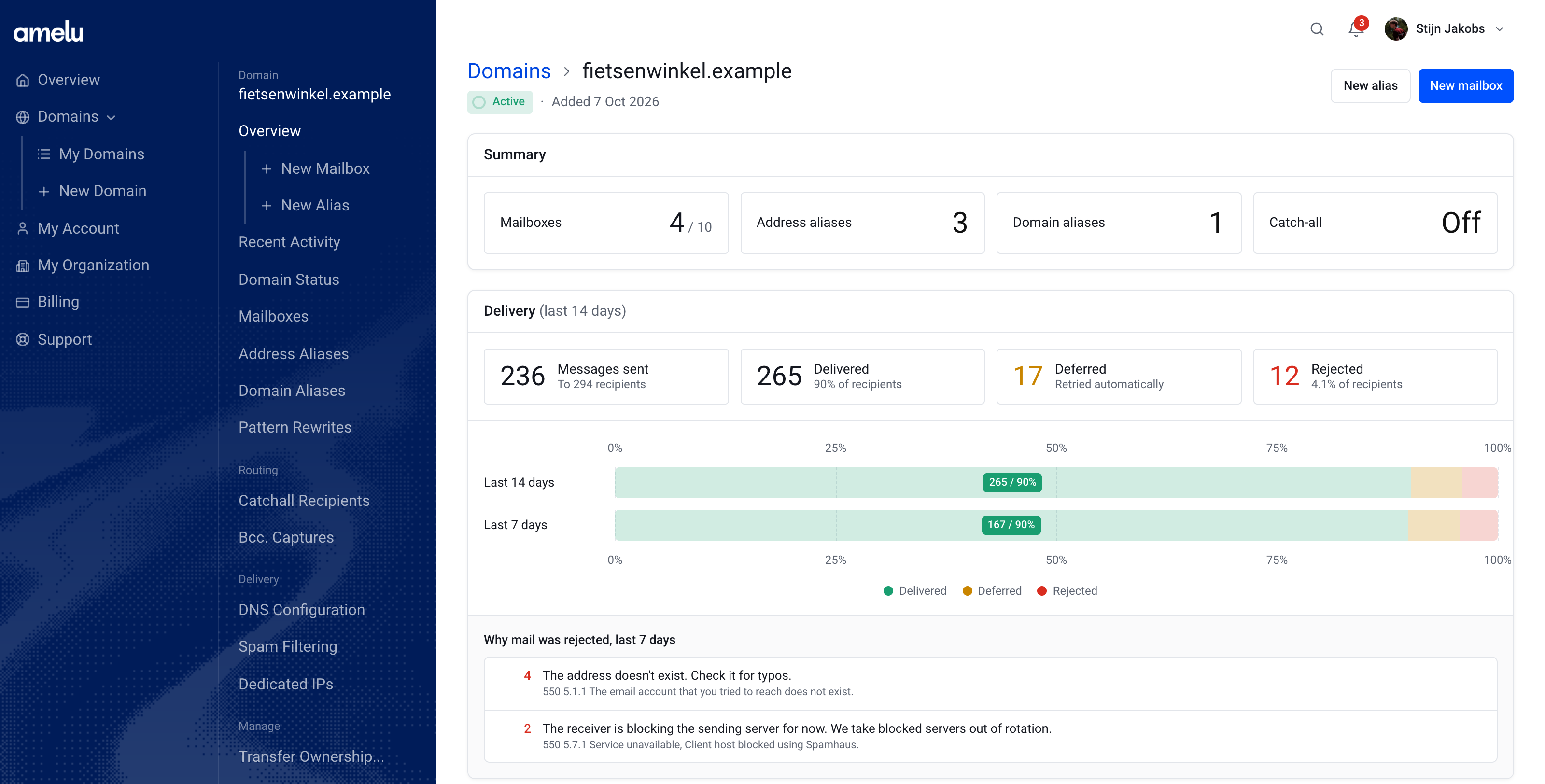
See how your mail is doing
A domain's overview now opens with a summary of its mailboxes, aliases and catch-all, followed by delivery for the last 14 days: how many messages went out, and how many were delivered, deferred or rejected. Bars for the last 14 and the last 7 days show at a glance whether things are getting better or worse. Hover over a bar for the exact numbers.
Rejected mail used to be just a number. Now the overview groups rejections by reason and explains each one in plain language, with the receiving server's own message underneath. An address that doesn't exist reads as a typo to fix, not as a cryptic error code. Deferred messages are marked as retried automatically, because in most cases they're delivered a little later.
Mailboxes, quicker
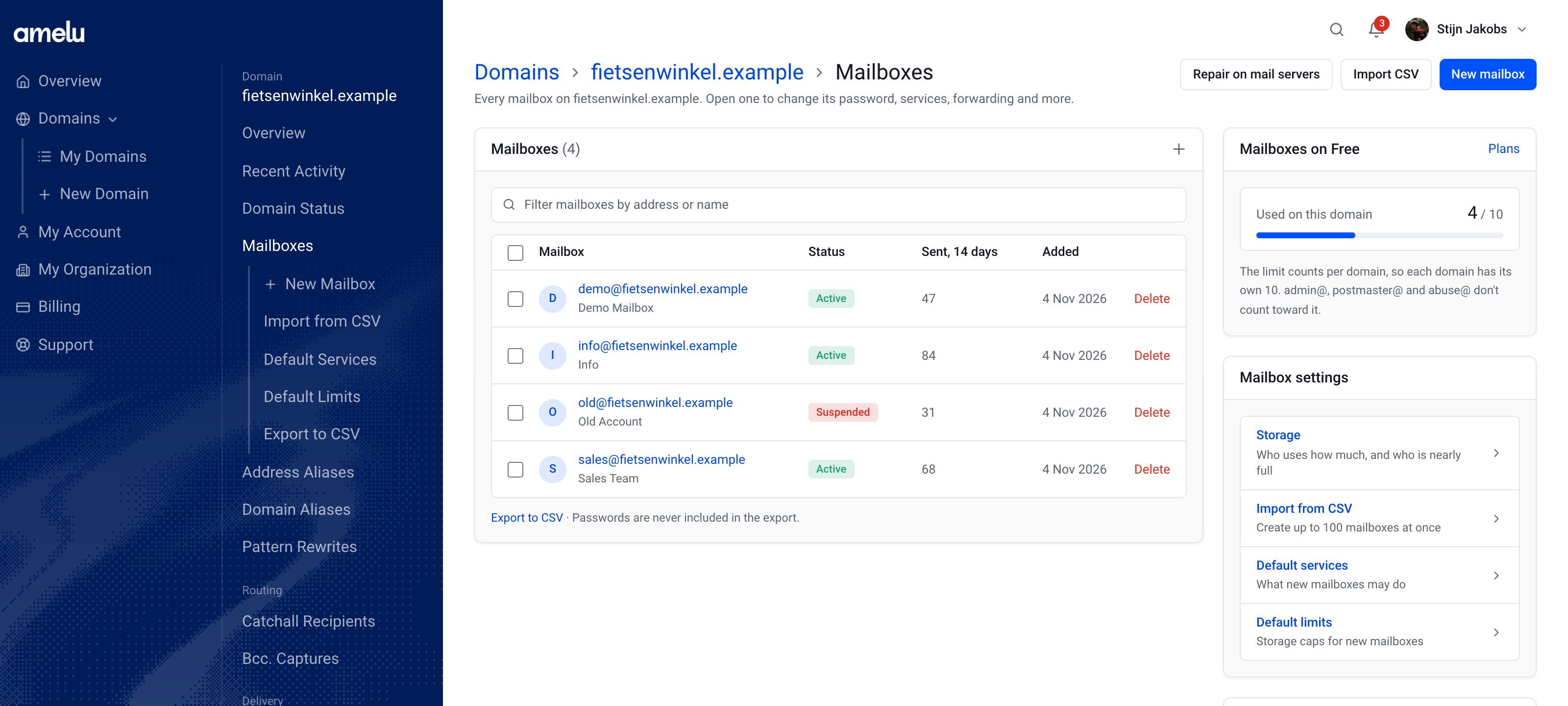
The mailbox list shows each mailbox's status and how much it sent in the last 14 days. Add one, import up to 100 at once from a CSV file, or export the list. Passwords are never part of an export. Default services and default limits decide what new mailboxes may do, so you only set them once.
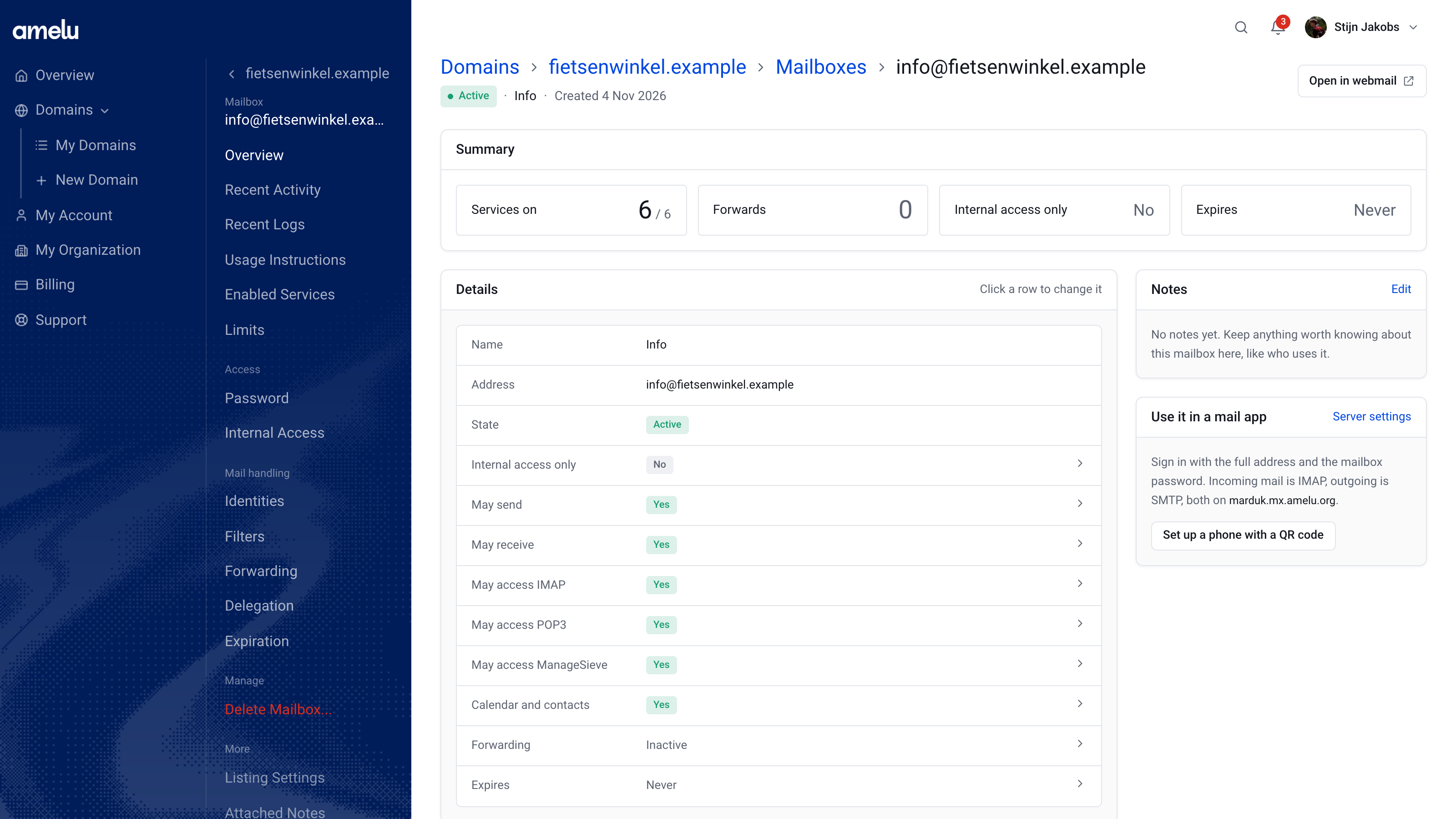
Each mailbox has its own overview: which services are on, its forwards, whether it only accepts mail from inside your organization, and when it expires. Every row links straight to the setting behind it. To set up a phone, scan the QR code on the overview and the account is configured for you.
Changing a password now starts with one choice: send a reset link, or set the password yourself. Filters read as sentences, with a live preview while you edit, and you can change their order. Identities, forwarding and delegation work the same way, with a table of what's set up and a form to add more.
Know where you stand
Every Amelu customer sends from the same mail servers. When one domain sends mail that people didn't ask for, providers like Gmail and Outlook start refusing mail from all of us. To keep delivery working for everyone, we pause sending for a domain when it looks like cold outreach or mail to purchased lists.
Until now, you'd notice a pause as an error in your mail app, and the reason arrived by email. That wasn't good enough. The new Domain Status page shows, for every domain, whether sending works right now, the state of the domain and your account, how much of your daily limit you've used, and your dedicated IP if you have one. It checks our mail servers live every time you open it.
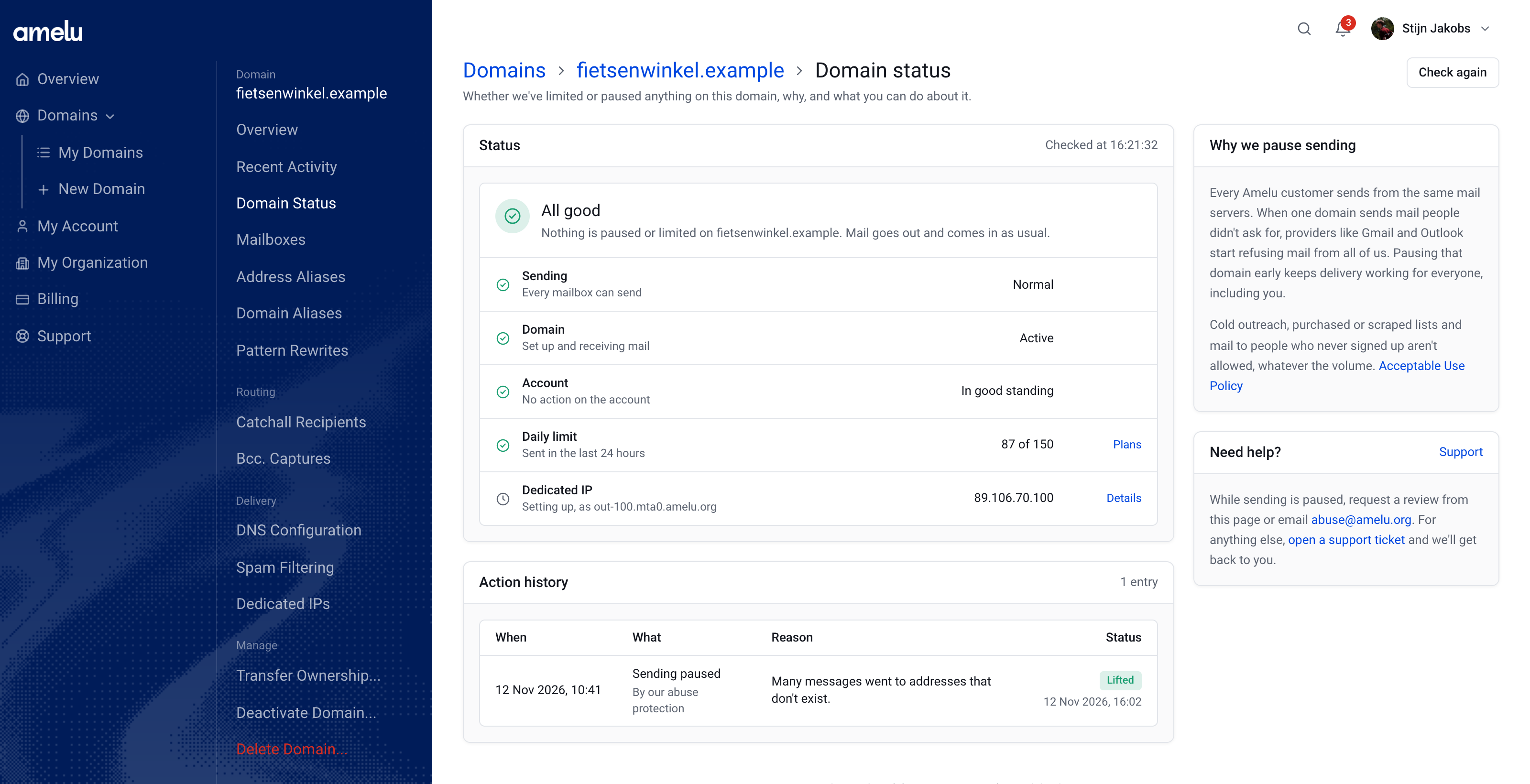
If sending is paused, the page says so plainly: since when, which mailboxes, the reason, and what you can do about it. It also keeps a history, so you can see when a pause was lifted.
Ask for a review from the dashboard
When sending is paused, you no longer have to email us from another address. Owners and admins can click Request a review, tell us what they send, who to, and how the addresses were collected, and confirm that they've read our Acceptable Use Policy.
That opens a support ticket with your answers and the details of the pause, so our team has the full picture from the first message. When sending is restored, the ticket tells you. A review isn't approved automatically, but it does mean the conversation starts with the facts on both sides.

Everything else
DNS configuration, spam filtering, address and domain aliases, pattern rewrites, the catch-all recipient and Bcc. captures all moved to the new layout too, along with the pages to transfer, deactivate or delete a domain.
It builds on what we shipped this month: Amelu's mail now comes entirely from Ordnary's own network, you can send from a dedicated IP, and you can attach files to support messages.
Try it
Everything is live now at app.amelu.org. There's nothing to switch on. If something doesn't work the way you expect, open a ticket from the dashboard and let us know.
- Announcement
- Features